AI Face Swap
AI Face Swap creates fast, natural and precise face swaps with minimal artifacts — perfect for creative edits and mockups.
Feedback
All Tools
Browse AI tools
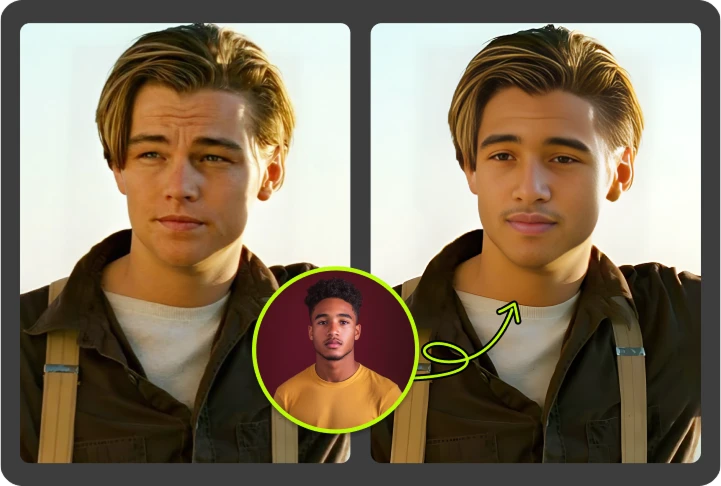
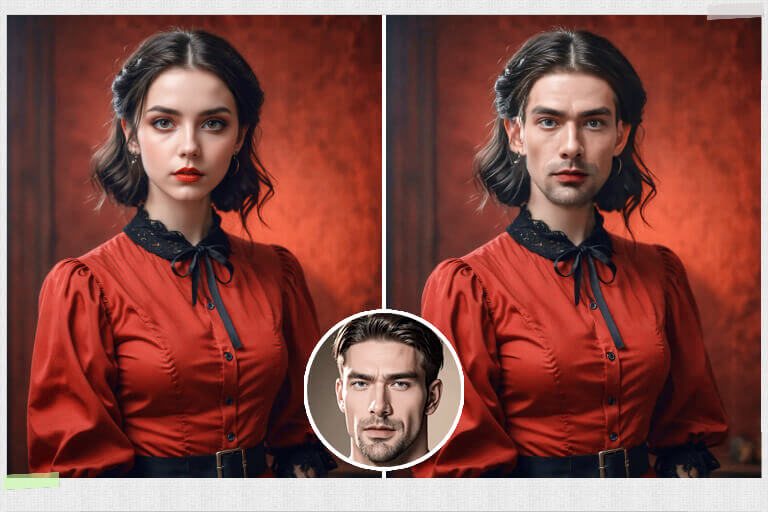
What is AI Face Swap?
AI Face Swap swaps faces while keeping expression, lighting and realism intact, giving photoreal results with preserved facial detail.
- Edge KeepKeeps facial edges natural during AI Face Swap.
- Expression FidelityPreserves expression and texture after AI Face Swap.
- Tone SafeMaintains lighting and skin tone when using AI Face Swap.
Why Choose AI Face Swap
Fast, natural face swaps with minimal artifacts.
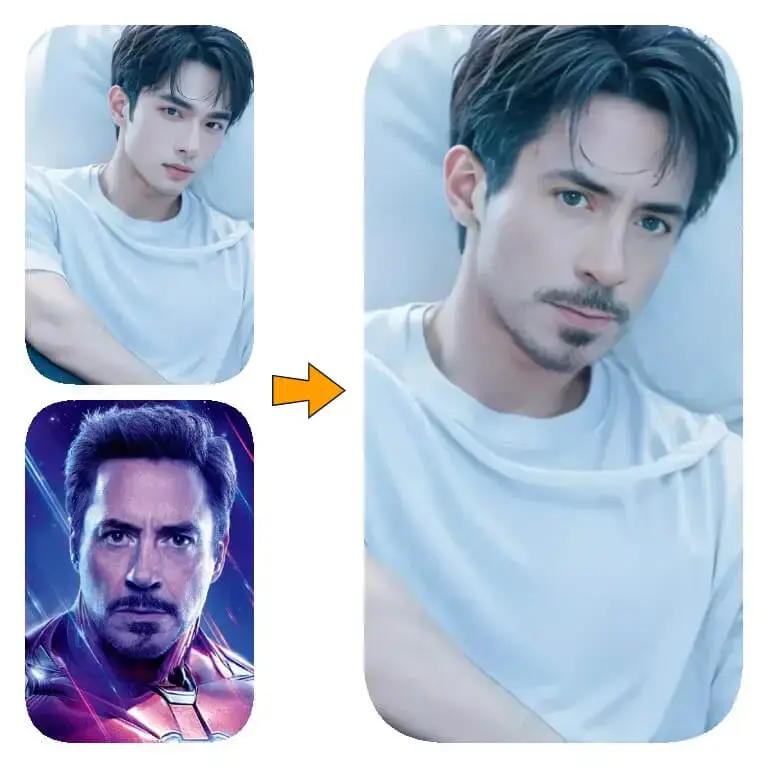
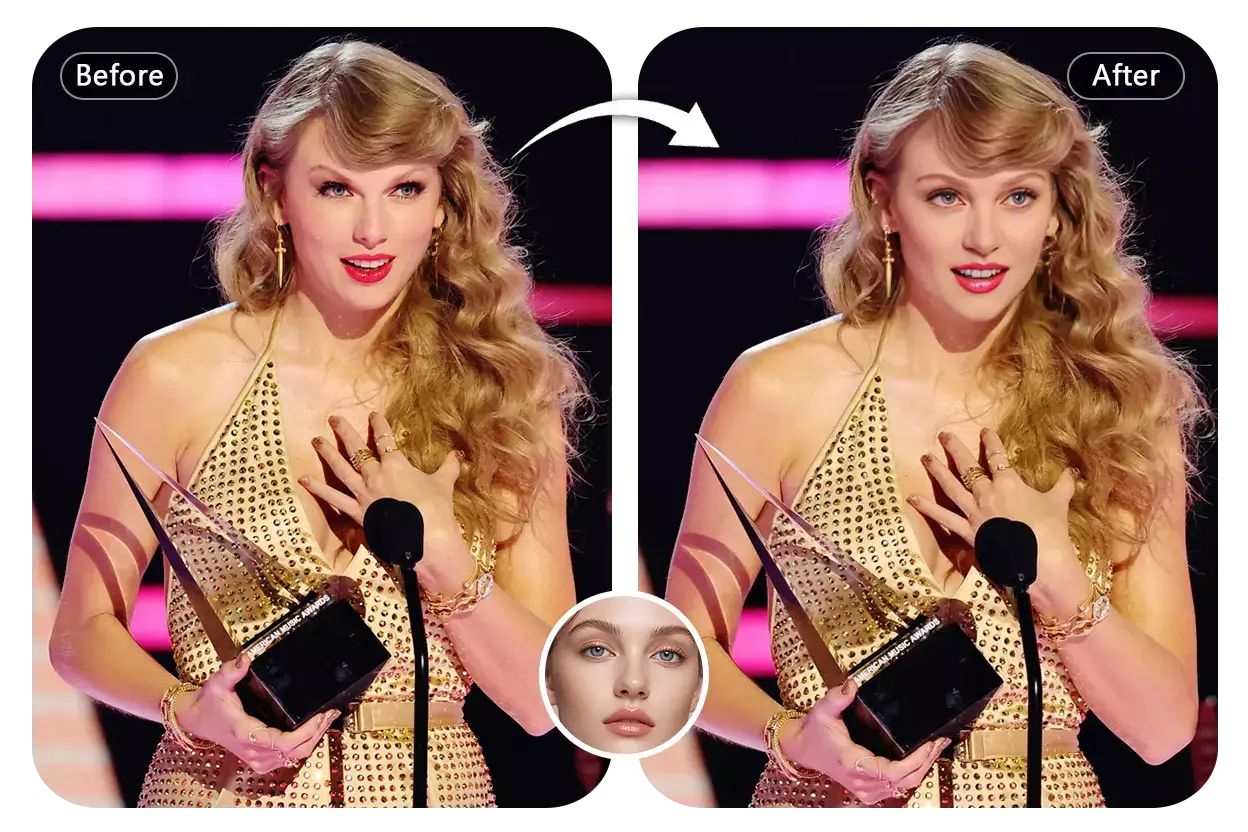
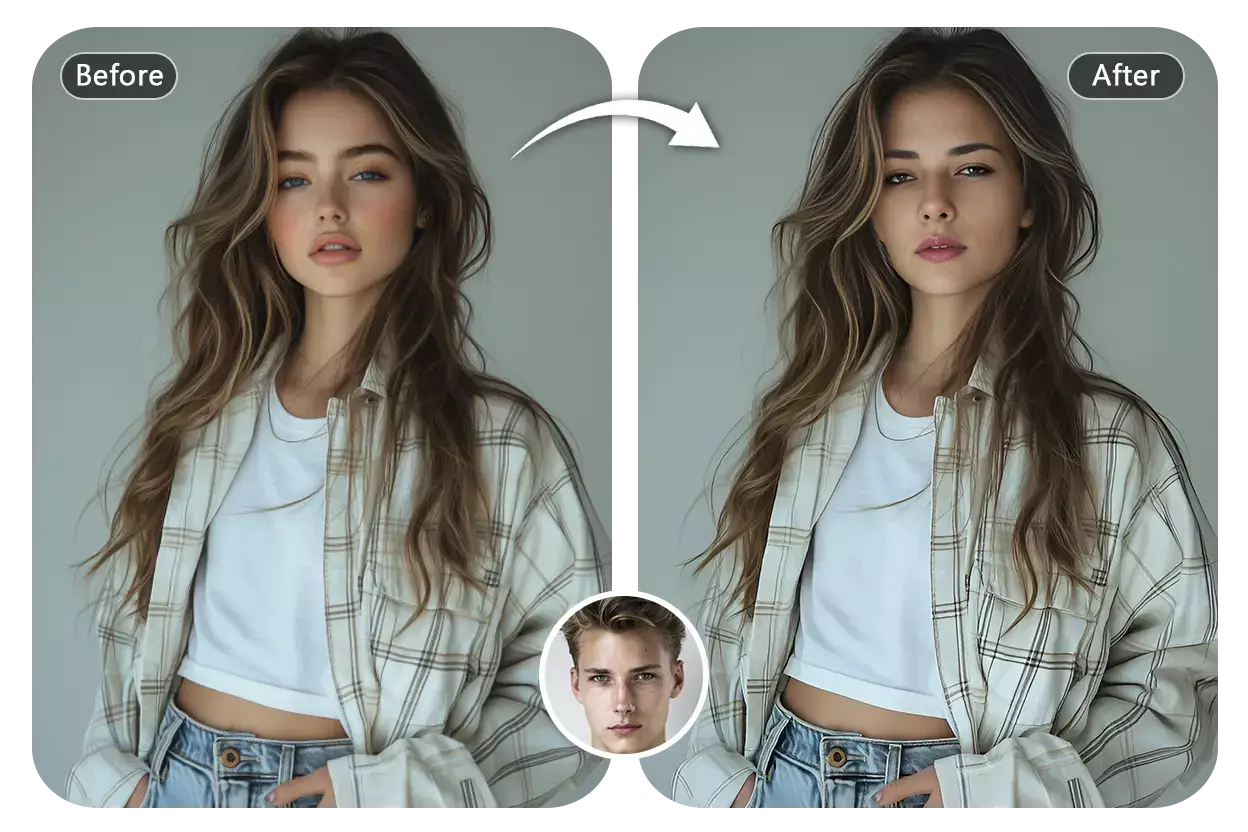
How to Use AI Face Swap
Swap faces in four quick steps using AI Face Swap for natural, photoreal results.
Advanced Features of AI Face Swap
AI Face Swap offers expression matching, texture preservation and artifact-free photoreal output.
Expression Match
Aligns expression and pose during AI Face Swap.
Texture Keep
Retains skin and hair texture after AI Face Swap.
Face Safe
Preserves facial tones when using AI Face Swap.
Artifact Clean
Removes blend artifacts for cleaner AI Face Swap output.
True Color
Natural tone kept after AI Face Swap.
Batch Speed
Process many face swaps quickly.
Common Questions About AI Face Swap
Quick answers about using AI Face Swap safely and effectively.
Core function?
Swap faces between photos quickly and naturally with AI Face Swap.
What is unique?
Clean blends, preserved expressions, and fast results from AI Face Swap.
What can change?
People, portraits, and selected regions can be swapped using AI Face Swap.
Speed?
Most AI Face Swap jobs finish under a minute.
Faces safe?
Yes — AI Face Swap preserves facial tones and key features.
Commercial use?
Yes, per plan terms.
Swap Faces Now with AI Face Swap
Create realistic face swaps fast. Natural, ready for use. AI Face Swap.